App Development
Flutter vs React Native vs Native: How to Choose the Right Technology for Your Mobile App
Planning an Android and iPhone app? Compare Flutter (Dart), React Native and native Kotlin/Swift on performance, cost, time to market and long-term maintenance.
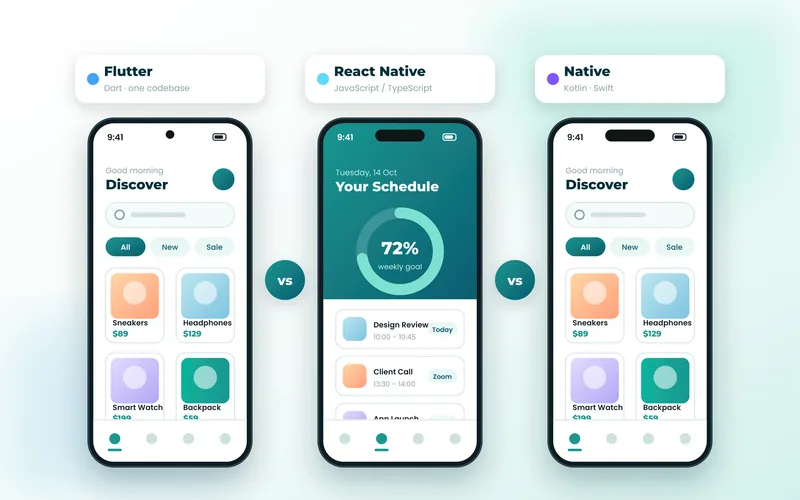
Once you decide to build a mobile app, one of the first technical decisions is how to build it. Today most business apps are developed with one of three approaches: Flutter, React Native or fully native development in Kotlin for Android and Swift for iOS. Each can produce an excellent app — the right choice depends on your goals, budget and timeline.
The Three Approaches at a Glance
- Flutter — Google’s UI toolkit. You write the app once in the Dart language and it compiles to native code for Android and iOS (and optionally web and desktop).
- React Native — Meta’s framework. You write the app in JavaScript or TypeScript using React, and it renders native platform components.
- Native — two separate apps: Kotlin (often with Jetpack Compose) for Android and Swift (often with SwiftUI) for iOS.
Flutter and Dart
Strengths
Flutter draws its own interface, so your app looks identical and pixel-perfect on every device. It compiles ahead of time to native machine code, which gives smooth animations and fast start-up. A single Dart codebase means one team, one set of tests and one release process — usually the fastest and most cost-effective route to launching on both Android and iPhone. Hot reload also makes design iterations remarkably quick.
Things to Consider
Some very new platform features may need a small amount of native Kotlin or Swift code through platform channels until a plugin is available. App binaries are slightly larger than purely native apps, although rarely enough for users to notice.
React Native
Strengths
React Native is a strong option when your team already works with React and JavaScript or TypeScript. It shares code between platforms, has a large ecosystem, and can share logic with a React web application.
Things to Consider
Because it relies on native components and a JavaScript runtime, UI can differ slightly between platforms and complex animations may need extra optimisation. Upgrading between major versions can also require careful maintenance.
Native Kotlin and Swift
Strengths
Native development offers immediate access to every new Android and iOS capability and the deepest integration with the operating system. It is ideal for apps that depend on advanced background processing, complex hardware integrations, or cutting-edge platform features on launch day.
Things to Consider
You are building and maintaining two separate apps, which typically increases cost and time to market and means every feature is implemented twice.
Side-by-Side Comparison
Performance
Native is the benchmark, and Flutter comes very close for almost every business app thanks to ahead-of-time compilation. React Native performs well for most use cases but may need more tuning for animation-heavy screens.
Development Cost and Speed
Flutter and React Native share one codebase across platforms, so they are usually faster and more affordable than building two native apps. Flutter’s consistent rendering often reduces platform-specific testing and fixes.
Design Consistency
Flutter gives complete control over every pixel, making it the easiest way to deliver a distinctive, on-brand design. Native and React Native follow each platform’s default components more closely.
Long-Term Maintenance
One codebase is simpler to maintain than two. Flutter’s stable, well-documented upgrade path and strong typing in Dart help keep long-running projects healthy.
Which Should You Choose?
- Choose Flutter if you want a high-quality app on both Android and iPhone quickly, with a custom design and a sensible budget — the right choice for most businesses and startups.
- Choose React Native if your team is already invested in React and wants to share code with an existing web app.
- Choose native Kotlin and Swift if your app depends on deep, platform-specific features or you need every new OS capability immediately.
Get Expert Advice for Your App
At WebCentauri Technologies we build Flutter apps in Dart as well as native Android and iOS apps, so our recommendation is based on your needs, not a single favourite tool. Book a free consultation and we will help you plan the right approach, timeline and budget for your app.